
Teach Yourself VISUALLY Macbook Pro and Macbook Air
8th Edition, Kindle Edition
Wiley · Ebook · February 2, 2026
The visual learner's guide to getting up and running with your Apple laptop Teach Yourself VISUALLY MacBook Pro and MacBook Air covers all the vital information you need to start working on your MacBook.
We earn from qualifying purchases.
- Who it’s for
- Screenshots and step-by-step instructions cover MacBook setup, everyday tasks, apps, and troubleshooting.
- Themes
- MacBook setup and everyday use, macOS features and Apple apps, Visual step-by-step instruction
- Genres
- Macintosh Systems, Mac Hardware
Nearest books
Matched by what the books are about, then ordered by what their readers also loved. Most of these share its genre: Macintosh Systems.
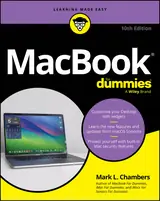 Macbook for DummiesMark L. Chambers71% matchAlso shares Mac Hardware
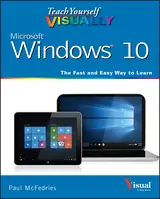 Teach Yourself VISUALLY Windows 10Paul McFedries70% match
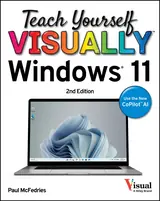 Teach Yourself VISUALLY Windows 11Paul McFedries67% match
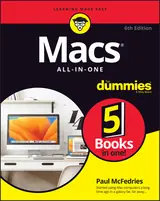 Macs All-in-one for DummiesPaul McFedries66% matchAlso shares Mac Hardware
 Cocoa Programming for OS XAaron Hillegass, Adam Preble62% match
 Learning Cocoa With Objective-cParis Buttfield-Addison, Jonathon Manning60% match
 OS X Yosemite: the Missing ManualDavid Pogue58% match
 Mac OS X Leopard: the Missing ManualDavid Pogue58% matchAlso shares Mac Hardware
For younger readers: The Way Things Work: Newly Revised Edition, Steve Jobs: Insanely Great, Coding Projects in Scratch
Start with three books, and this one can be the first.
Members get a new edition every morning: a route out from their books to essays, research and talks, with the reason for each.
Start with this bookAbout this book
The visual learner's guide to getting up and running with your Apple laptop Teach Yourself VISUALLY MacBook Pro and MacBook Air covers all the vital information you need to start working on your MacBook. With this highly illustrated and easy-to-follow guide, you'll learn to navigate the macOS interface like a pro, customize your desktop with the widgets you need, and get your MacBook working with iCloud, your iPhone, and your iPad.
Continue reading
This book's graphical, step-by-step instructions walk you through everything from installation to troubleshooting, helping you to get the most out of the investment you've made in your MacBook. This fully updated edition helps you become a power user of the latest MacBook models and exploit the features in macOS Tahoe, Apple's state-of-the-art operating system, and the apps that come with it. If you prefer to learn visually, this is the book you need. Discover how to: - Perform everyday tasks quickly and easily - Customize settings to make macOS and its apps work the way you prefer - Communicate via audio and video with FaceTime, via instant messaging with Messages, and via email with Mail - Organize your life with Calendar, Contacts, Reminders, Notes, and Maps - Make the most of your iCloud account Instead of confusing tech-speak and vague instructions, this guide is packed with screenshots, easy-to-follow instructions, and a practical sensibility. Grab Teach Yourself VISUALLY MacBook Pro and MacBook Air and explore all that your MacBook can do.
MacBook, Step by Step
Screenshots and step-by-step instructions cover MacBook setup, everyday tasks, apps, and troubleshooting.
Come here for
- Illustrated steps for installation, navigation, and troubleshooting
- Guidance on iCloud, Apple apps, and MacBook settings
Expect
- macOS Tahoe features and built-in apps
- Separate guidance for FaceTime, Messages, Mail, and organization apps
Where it sits
| Mac Hardware | 83% |
|---|---|
| Macintosh Systems | 72% |
Percentages are BookFrontier’s reading of the book.
Publisher categories
- Macintosh Systems
- Mac Hardware
- Mac Programming
- Authors
- Guy Hart-Davis
- Publisher
- Wiley
- Published
- February 2, 2026
- Format
- Ebook
- Theme
- MacBook setup and everyday use · macOS features and Apple apps · Visual step-by-step instruction
- Reading lane
- Macintosh Systems