
Windows 8.1 for Seniors for Dummies
1st Edition
Wiley · Print & ebook · November 25, 2013
Seniors, here's what you need to get up and running on Windows 8.1 Microsoft, now a little older and wiser, is back with Windows 8.1, the revamped version that brings fresh changes and welcome improvements to the Windows 8 operating system.
We earn from qualifying purchases.
- Who it’s for
- A large-print guide to Windows 8.1, from the Start screen to computer upkeep.
- Themes
- Windows 8.1 basics and customization, Internet and social networking, Computer care and file organization
- Genres
- Windows Desktop, Computer Basics
Nearest books
Matched by what the books are about, then ordered by what their readers also loved. Most of these share its genres: Windows Desktop and Computer Basics.
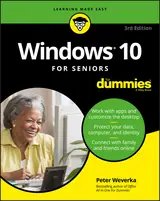 Windows 10 for Seniors for DummiesPeter Weverka77% match
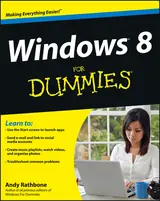 Windows 8 for DummiesAndy Rathbone74% match
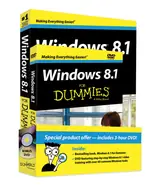 Windows 8.1 for Dummies Book + DVD BundleAndy Rathbone73% match
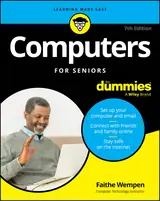 Computers for Seniors for DummiesFaithe Wempen72% match
 Windows 11 for DummiesAndy Rathbone70% match
 Windows 11 for Dummies, 2nd EditionAlan Simpson69% match
 Windows 10 for DummiesAndy Rathbone68% match
 Computer Basics Absolute Beginner's Guide, Windows 10 EditionMichael R. Miller67% match
Start with three books, and this one can be the first.
Members get a new edition every morning: a route out from their books to essays, research and talks, with the reason for each.
Start with this bookAbout this book
Seniors, here's what you need to get up and running on Windows 8.1 Microsoft, now a little older and wiser, is back with Windows 8.1, the revamped version that brings fresh changes and welcome improvements to the Windows 8 operating system. And now you savvy seniors can get the very most out of this easier-to-use Windows 8.1 with our friendly new guide.
Continue reading
Using large print that makes the book easier to read plus magnified screen shots to help make Windows less intimidating, this book walks you through common tasks and show you how to get things done in fine style. - Helps you get to know Windows 8.1, including the basics of PC hardware, the return of the Start screen, the desktop interface, Windows 8.1 applications, customizing, and more - Explores how you can best use the Web, including directions on connecting to the Internet, using the e-mail app, connecting with social networks, and messaging - Puts the fun in the fundamentals of how to find and install new apps, work with digital photos, and play music and videos - Offers practical steps on troubleshooting and maintenance, connecting other devices, storing and organizing files, and backing up your computer - Uses straightforward explanations, minimal chit-chat, and easy-to-read large print - perfect for seniors Work faster and smarter – and enjoy yourself, too – with Windows 8.1 and Windows 8.1 For Seniors For Dummies.
Windows 8.1 Basics
A large-print guide to Windows 8.1, from the Start screen to computer upkeep.
Come here for
- Large print for easier reading
- Magnified screenshots alongside common Windows tasks
Expect
- Steps for connecting to the Internet
- Practical guidance on troubleshooting and maintenance
Where it sits
| Windows Desktop | 96% |
|---|---|
| Computer Basics | 56% |
Percentages are BookFrontier’s reading of the book.
Publisher categories
- Windows Desktop
- Authors
- Peter Weverka, Mark Justice Hinton
- Publisher
- Wiley
- Published
- November 25, 2013
- Format
- Print & ebook
- Theme
- Windows 8.1 basics and customization · Internet and social networking · Computer care and file organization
- Reading lane
- Windows Desktop