
Computer Basics Absolute Beginner's Guide, Windows 10 Edition
9th Edition
Pearson Education · Print & ebook · November 22, 2019
Updated for the Latest Windows 10 2019 This is today’s best beginner’s guide to using your computer or tablet with the Windows 10 operating system.
We earn from qualifying purchases.
- Who it’s for
- Step-by-step Windows 10 guidance covers everyday computer tasks, online connections, apps, and file protection.
- Themes
- Windows 10 basics, Internet and social networking, Everyday computer tasks
- Genres
- Windows Desktop, Computer Basics, Internet & Web
Nearest books
Matched by what the books are about, then ordered by what their readers also loved. Most of these share its genres: Windows Desktop and Computer Basics.
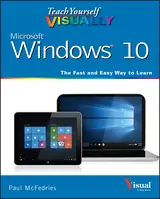 Teach Yourself VISUALLY Windows 10Paul McFedries70% match
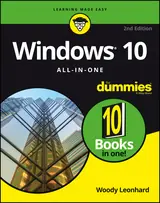 Windows 10 All-in-one for DummiesWoody Leonhard68% match
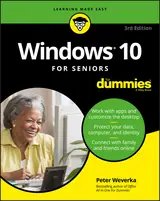 Windows 10 for Seniors for DummiesPeter Weverka72% match
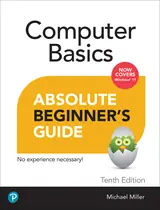 Computer Basics Absolute Beginner's Guide, Windows 11 EditionMichael Miller88% matchAlso shares Internet & Web
 Windows 10 Inside OutEd Bott, Craig Stinson76% match
 Windows 10 for DummiesAndy Rathbone73% match
 Windows 11 SimplifiedPaul McFedries72% match
 Teach Yourself VISUALLY Windows 11Paul McFedries72% match
For younger readers: 10 Minutes to Better Mental Health
Start with three books, and this one can be the first.
Members get a new edition every morning: a route out from their books to essays, research and talks, with the reason for each.
Start with this bookAbout this book
Updated for the Latest Windows 10 2019 This is today’s best beginner’s guide to using your computer or tablet with the Windows 10 operating system. Make the most of your Windows 10 notebook or desktop computer—without becoming a technical expert! This is the fastest way to get comfortable, get productive, get online, get started with social networking, make more connections, and have more fun!
Continue reading
Even if you’ve never used a Windows computer before, this book shows you how to do what you want, one incredibly clear and easy step at a time. Here’s a small sample of what you’ll learn: - Set up your computer and use the Windows 10 Start menu and desktop - Connect to the Internet and browse the Web with Microsoft Edge - Get started with social networking on Facebook, Twitter, Pinterest, and LinkedIn - Use Windows 10’s built-in apps—and find great new apps in the Windows Store - Connect printers and external storage, and set up automatic file backup - Connect to a home wireless network or public Wi-Fi hotspot - Go online to shop and sell—and smart search with Microsoft Cortana® - Get work done quickly with Microsoft Office - Organize, view, and share photos - Listen to streaming music with Pandora and Spotify - Watch streaming movies and TV shows with Amazon Prime Video, Hulu, Netflix, and more - Protect yourself against viruses, spyware, and spam - Keep your system running reliably at top speed
Windows 10 Basics
Step-by-step Windows 10 guidance covers everyday computer tasks, online connections, apps, and file protection.
Come here for
- Setting up a computer and learning the Windows 10 Start menu
- Connecting to Wi-Fi, browsing with Edge, and using built-in apps
Expect
- Instructions for social networking, shopping, and web searches
- Guidance on photos, streaming media, Office, and backups
Where it sits
| Computer Basics | 82% |
|---|---|
| Windows Desktop | 58% |
| Internet & Web | 25% |
Percentages are BookFrontier’s reading of the book.
Publisher categories
- Computers
- Windows Desktop
- Authors
- Michael R. Miller
- Publisher
- Pearson Education
- Published
- November 22, 2019
- Format
- Print & ebook
- Theme
- Windows 10 basics · Internet and social networking · Everyday computer tasks
- Reading lane
- Computers