
Windows 10 Inside Out
3rd Edition
Pearson Education · Print & ebook · January 23, 2019
Conquer today’s Windows 10—from the inside out!
We earn from qualifying purchases.
- Who it’s for
- A practical reference to Windows 10 setup, security, apps, search, storage, and troubleshooting.
- Themes
- Windows 10 setup and management, Security and device protection, Productivity and built-in apps
- Genres
- Windows Desktop, Windows Administration, Computer Resources
Nearest books
Matched by what the books are about, then ordered by what their readers also loved. Most of these share its genre: Windows Desktop.
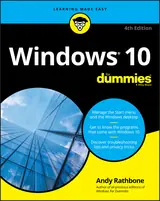 Windows 10 for DummiesAndy Rathbone77% matchAlso shares Computer Resources
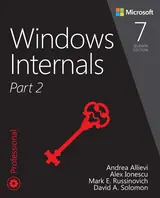 Windows Internals, Part 2Mark E. Russinovich, Andrea Allievi77% matchAlso shares Windows Administration
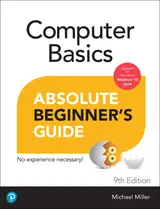 Computer Basics Absolute Beginner's Guide, Windows 10 EditionMichael R. Miller76% match
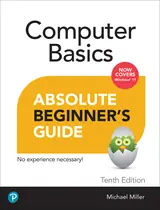 Computer Basics Absolute Beginner's Guide, Windows 11 EditionMichael Miller73% match
 Windows 11 All-in-one for Dummies, 2nd EditionCiprian Adrian Rusen72% matchAlso shares Computer Resources
 Teach Yourself VISUALLY Windows 10Paul McFedries72% matchAlso shares Computer Resources
 Windows 10 All-in-one for DummiesWoody Leonhard71% match
 Windows 7: the Definitive GuideWilliam Stanek71% matchAlso shares Windows Administration and Computer Resources
Start with three books, and this one can be the first.
Members get a new edition every morning: a route out from their books to essays, research and talks, with the reason for each.
Start with this bookAbout this book
Conquer today’s Windows 10—from the inside out! Dive into Windows 10—and really put your Windows expertise to work. Focusing on Windows 10’s newest, most powerful, and most innovative features, this supremely organized reference packs hundreds of timesaving solutions, up-to-date tips, and workarounds. From the new Timeline to key improvements in Microsoft Edge, Cortana, security, and virtualization, you’ll discover how experts tackle today’s essential tasks.
Continue reading
Adapt to faster change in today’s era of “Windows as a service,” as you challenge yourself to new levels of mastery. • Install, configure, and personalize the latest versions of Windows 10 • Manage Windows reliability, security, and feature updates in any environment • Maximize your productivity with Windows 10’s growing library of built-in apps • Pinpoint information fast with advanced Windows Search and Cortana techniques • Discover major Microsoft Edge enhancements, from extensions to accessibility • Use Cortana to perform tasks, set reminders, retrieve data, and get instant answers to pressing questions • Secure devices, data, and identities, and block malware and intruders • Safeguard your business with BYOD work accounts, Windows Hello, biometrics, and Azure AD • Deploy, use, and manage Universal Windows Platform (UWP) apps • Store, sync, and share content with OneDrive and OneDrive for Business • Collaborate more efficiently with the Windows 10 Mail, Calendar, and Skype apps • Seamlessly manage both physical and virtual storage • Optimize performance and battery life and troubleshoot crashes
Windows 10 Tools
A practical reference to Windows 10 setup, security, apps, search, storage, and troubleshooting.
Come here for
- Installing, configuring, and personalizing Windows 10
- Guidance on security, updates, Cortana, Edge, and built-in apps
Expect
- Tips and workarounds for reliability, updates, performance, and battery life
- Coverage of OneDrive, virtualization, UWP apps, and business safeguards
Where it sits
| Windows Desktop | 91% |
|---|---|
| Computer Resources | 60% |
| Windows Administration | 49% |
Percentages are BookFrontier’s reading of the book.
Publisher categories
- Windows Desktop
- Authors
- Ed Bott, Craig Stinson
- Publisher
- Pearson Education
- Published
- January 23, 2019
- Format
- Print & ebook
- Theme
- Windows 10 setup and management · Security and device protection · Productivity and built-in apps
- Reading lane
- Windows Desktop