
Learn Linux in a Month of Lunches
First Edition
Manning · Print & ebook · December 11, 2016
Summary Learn Linux in a Month of Lunches shows you how to install and use Linux for all the things you do with your OS, like connecting to a network, installing software, and securing your system.
We earn from qualifying purchases.
- Who it’s for
- Practical lessons cover Linux setup, command-line use, desktop customization, printing, and system security.
- Themes
- Linux fundamentals, Command-line skills, Practical system administration
- Pacing
- Steady
Nearest books
Matched by what the books are about, then ordered by what their readers also loved. Most of these share its genres: Linux Systems and Linux & UNIX Admin.
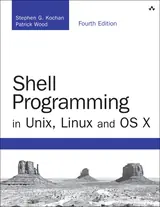 Shell Programming in Unix, Linux and OS XStephen G. Kochan, Patrick Wood59% match
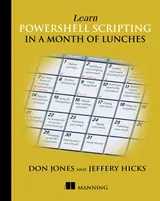 Learn Powershell Scripting in a Month of LunchesDon Jones, Jeffery Hicks66% match
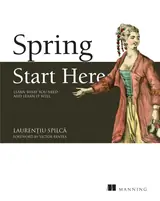 Spring Start HereLaurentiu Spilca50% match
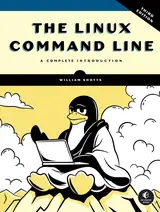 The Linux Command Line, 3rd EditionWilliam Shotts70% match
 Linux in ActionDavid Clinton76% match
 Linux EssentialsChristine Bresnahan, Richard Blum71% match
 Learn Powershell in a Month of Lunches, Fourth EditionTravis Plunk, James Petty69% match
 Linux System AdministrationTom Adelstein, Bill Lubanovic69% match
Start with three books, and this one can be the first.
Members get a new edition every morning: a route out from their books to essays, research and talks, with the reason for each.
Start with this bookAbout this book
Summary Learn Linux in a Month of Lunches shows you how to install and use Linux for all the things you do with your OS, like connecting to a network, installing software, and securing your system. Whether you're just curious about Linux or have to get up and running for your job, you'll appreciate how this book concentrates on the tasks you need to know how to do in 23 easy lessons.
Continue reading
About the Technology If you've only used Windows or Mac OS X, you may be daunted by the Linux operating system. And yet learning Linux doesn't have to be hard, and the payoff is great. Linux is secure, flexible, and free. It's less susceptible to malicious attacks, and when it is attacked, patches are available quickly. If you don't like the way it looks or behaves, you can change it. And best of all, Linux allows users access to different desktop interfaces and loads of software, almost all of it completely free. About the Book Learn Linux in a Month of Lunches shows you how to install and use Linux for all the things you do with your OS, like connecting to a network, installing software, and securing your system. Whether you're just curious about Linux or need it for your job, you'll appreciate how this book focuses on just the tasks you need to learn. In easy-to-follow lessons designed to take an hour or less, you'll learn how to use the command line, along with practical topics like installing software, customizing your desktop, printing, and even basic networking. You'll find a road map to the commands and processes you need to be instantly productive. What's Inside - Master the command line - Learn about file systems - Understand desktop environments - Go from Linux novice to expert in just one month About the Reader This book is for anyone looking to learn how to use Linux. No previous Linux experience required. About the Author Steven Ovadia is a professor and librarian at LaGuardia Community College, CUNY. He curates The Linux Setup, a large collection of interviews with desktop Linux users, and writes for assorted library science journals. Table of Contents PART 1 - GETTING LINUX UP AND RUNNING - Before you begin - Getting to know Linux - Installing Linux - Getting to know your system - Desktop environments - Navigating your desktop PART 2 - A HOME OFFICE IN LINUX - Installing software - An introduction to Linux home/office software - Text files and editors - Working with files and folders on the command line - Working with common command-line applications, part 1 - Working with common command-line applications, part 2 - Using the command line productively - Explaining the Linux filesystem hierarchy - Windows programs in Linux - Establishing a workflow PART 3 - HOME SYSTEM ADMIN ON LINUX - An in-depth look at package management and maintenance - Updating the operating system - Linux security - Connecting to other computers - Printing - Version control for non-programmers - Never the end
Linux in Practice
Practical lessons cover Linux setup, command-line use, desktop customization, printing, and system security.
Come here for
- Installing Linux and getting to know your system
- Command-line work, software installation, and basic networking
Expect
- Lessons designed to take an hour or less
- Coverage of file systems, package management, and connecting to other computers
Where it sits
| Linux Systems | 97% |
|---|---|
| Linux & UNIX Admin | 37% |
| Computer Networking | 22% |
Percentages are BookFrontier’s reading of the book.
Publisher categories
- Computers
- Email Administration
- Computer Networking
- Operating Systems
Show all 8 publisher categories
- UNIX Systems
- Linux Systems
- Sysadmin
- Linux & UNIX Admin
- Authors
- Steven Ovadia
- Publisher
- Manning
- Published
- December 11, 2016
- Format
- Print & ebook
- Theme
- Linux fundamentals · Command-line skills · Practical system administration
- Reading lane
- Computers