
Linux in Action
1st Edition, Kindle Edition
Manning · Ebook · August 19, 2018
Summary Linux in Action is a task-based tutorial that will give you the skills and deep understanding you need to administer a Linux-based system.
We earn from qualifying purchases.
- Who it’s for
- Linux administration unfolds through practical projects in virtualization, recovery, security, and network services.
- Themes
- Linux system administration, Cybersecurity and network security, Backup and disaster recovery
- Genres
- Linux & UNIX Admin, Linux Systems, Virtualization
Nearest books
Matched by what the books are about, then ordered by what their readers also loved. Most of these share its genres: Linux & UNIX Admin and Linux Systems.
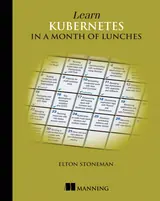 Learn Kubernetes in a Month of LunchesElton Stoneman59% matchAlso shares Virtualization
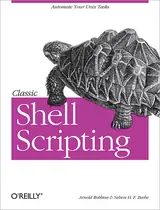 Classic Shell ScriptingArnold Robbins, Nelson Beebe53% match
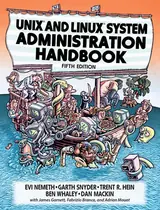 UNIX and Linux System Administration HandbookEvi Nemeth, Garth Snyder62% match
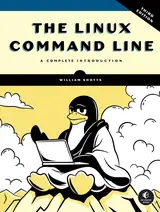 The Linux Command Line, 3rd EditionWilliam Shotts66% match
 Linux System AdministrationTom Adelstein, Bill Lubanovic77% match
 Learn Linux in a Month of LunchesSteven Ovadia76% match
 Linux EssentialsChristine Bresnahan, Richard Blum68% match
 Kubernetes in ActionMarko Luksa68% matchAlso shares Virtualization
Start with three books, and this one can be the first.
Members get a new edition every morning: a route out from their books to essays, research and talks, with the reason for each.
Start with this bookAbout this book
Summary Linux in Action is a task-based tutorial that will give you the skills and deep understanding you need to administer a Linux-based system. This hands-on book guides you through 12 real-world projects so you can practice as you learn. Each chapter ends with a review of best practices, new terms, and exercises. Purchase of the print book includes a free eBook in PDF, Kindle, and ePub formats from Manning Publications.
Continue reading
About the Technology You can't learn anything without getting your hands dirtyâ€"including Linux. Skills like securing files, folders, and servers, safely installing patches and applications, and managing a network are required for any serious user, including developers, administrators, and DevOps professionals. With this hands-on tutorial, you'll roll up your sleeves and learn Linux project by project. About the Book Linux in Action guides you through 12 real-world projects, including automating a backup-and-restore system, setting up a private Dropbox-style file cloud, and building your own MediaWiki server. You'll try out interesting examples as you lock in core practices like virtualization, disaster recovery, security, backup, DevOps, and system troubleshooting. Each chapter ends with a review of best practices, new terms, and exercises. What's inside - Setting up a safe Linux environment - Managing secure remote connectivity - Building a system recovery device - Patching and upgrading your system About the Reader No prior Linux admin experience is required. About the Author David Clinton is a certified Linux Server Professional, seasoned instructor, and author of Manning's bestselling Learn Amazon Web Services in a Month of Lunches. Table of Contents - Welcome to Linux - Linux virtualization: Building a Linux working environment - Remote connectivity: Safely accessing networked machines - Archive management: Backing up or copying entire file systems - Automated administration: Configuring automated offsite backups - Emergency tools: Building a system recovery device - Web servers: Building a MediaWiki server - Networked file sharing: Building a Nextcloud file-sharing server - Securing your web server - Securing network connections: Creating a VPN or DMZ - System monitoring: Working with log files - Sharing data over a private network - Troubleshooting system performance issues - Troubleshooting network issues - Troubleshooting peripheral devices - DevOps tools: Deploying a scripted server environment using Ansible
Linux Projects
Linux administration unfolds through practical projects in virtualization, recovery, security, and network services.
Come here for
- Building a MediaWiki server
- Automating offsite backups
Expect
- Chapter endings review best practices, new terms, and exercises.
Where it sits
| Linux & UNIX Admin | 70% |
|---|---|
| Virtualization | 45% |
| Linux Systems | 37% |
Percentages are BookFrontier’s reading of the book.
Publisher categories
- Disaster Recovery
- Database Administration
- Linux Systems
- Linux & UNIX Admin
- Authors
- David Clinton
- Publisher
- Manning
- Published
- August 19, 2018
- Format
- Ebook
- Theme
- Linux system administration · Cybersecurity and network security · Backup and disaster recovery
- Reading lane
- Disaster Recovery